Pinstack Calculator
The standalone pinstack calculator is designed for fast cylinder pinning, manual key entry, and real-world locksmith workflow without requiring full system generation.
What It Does
The pinstack tool converts key bittings into usable pinning stacks for IC and conventional pin cylinders. It allows you to either manually enter key information to create pinstacks or import save files from our system generator.
Core Features
How It Works
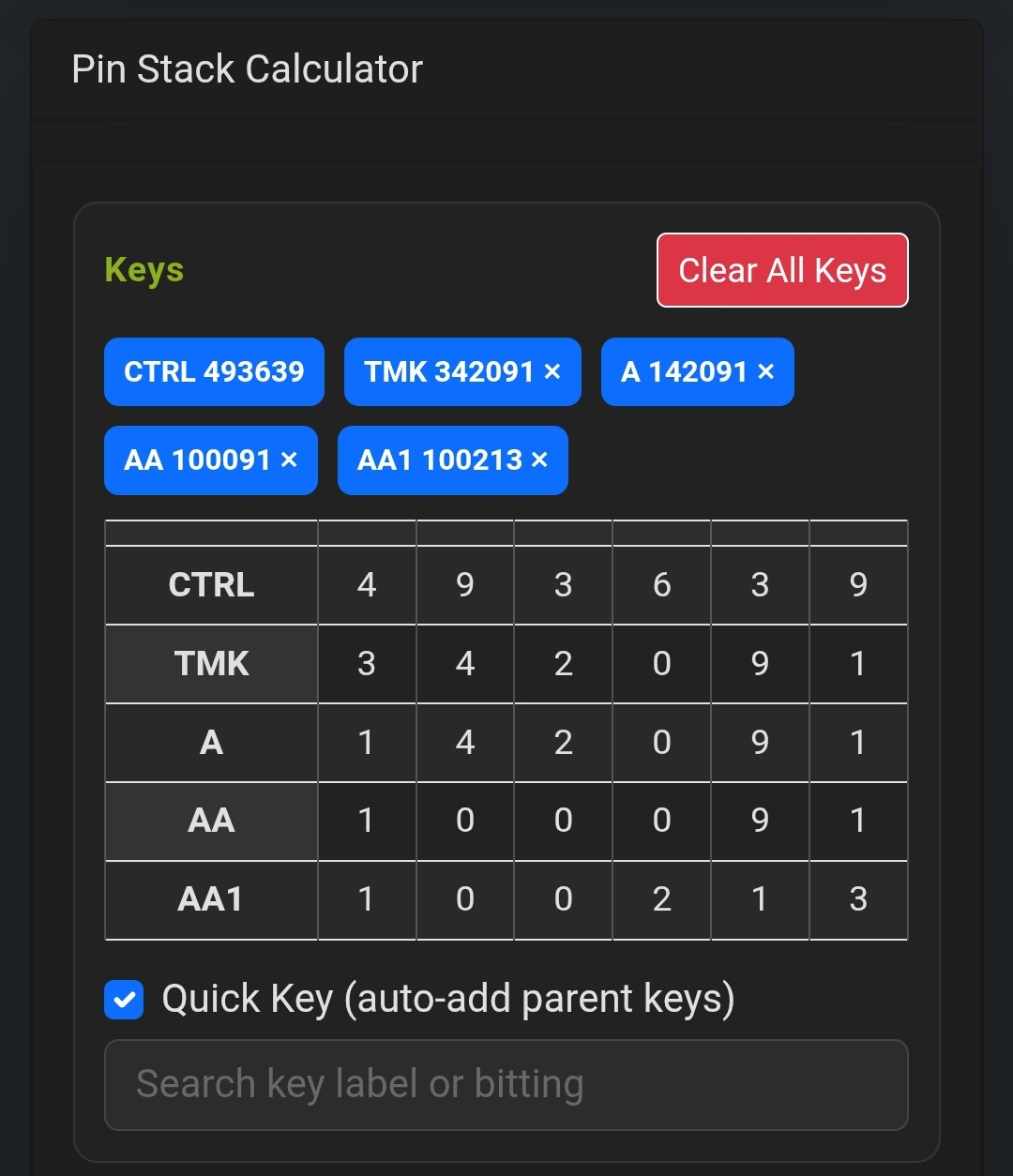
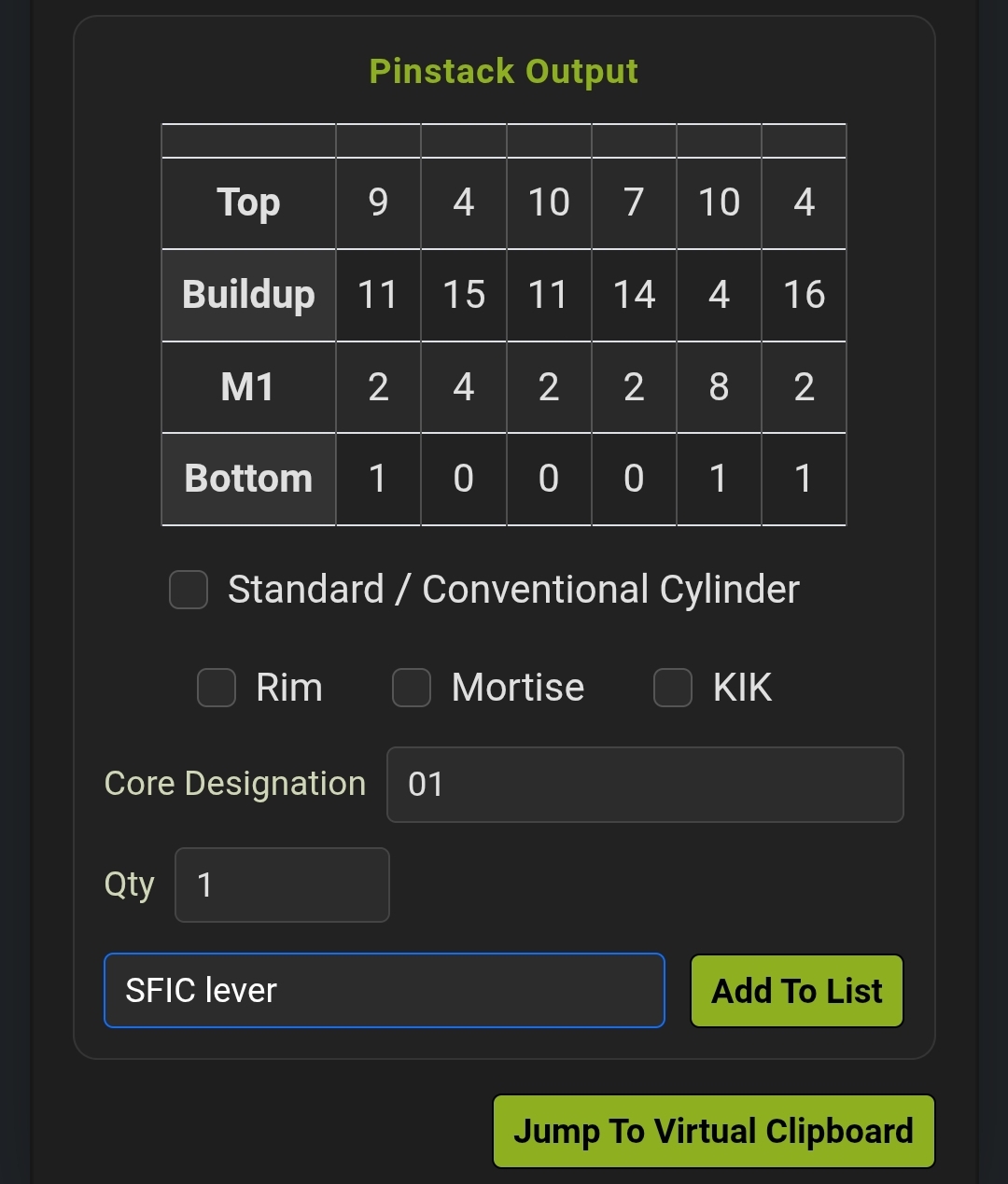
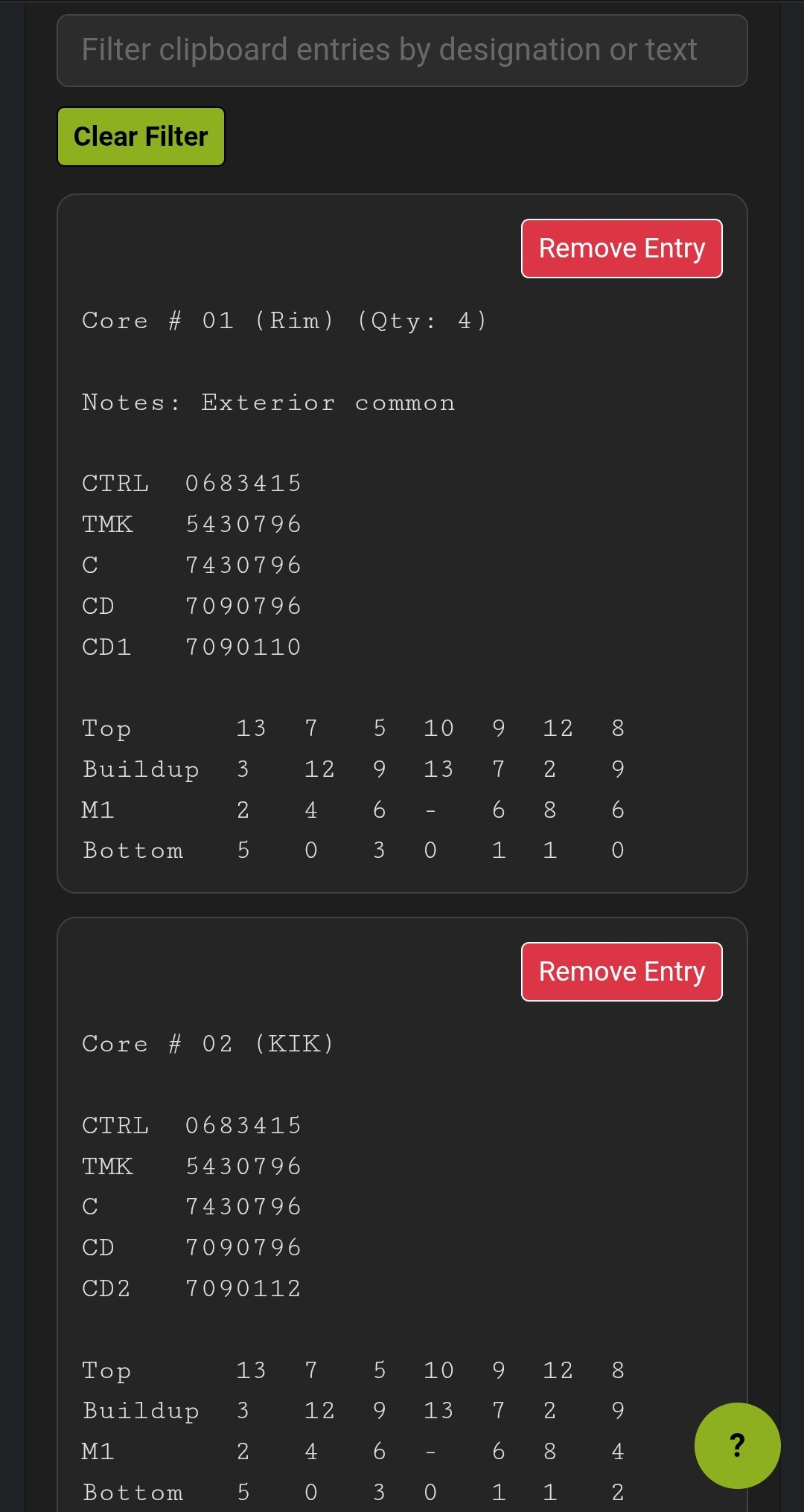
Enter a system name if you want to save or print output for later use and select a DSD profile. Enter the name (tmk, gmk, AA1 or whatever works for you) of each key you want to include in a given pinning configuration, followed by its cut values, one key at a time. Once finished with adding your cylinder's keys, the shown pinning diagram displays your pinning configuration. It can be carried over to a running clipboard in the lower portion of the page to later copy or download by clicking "add to list". Keys can be removed from the calculator by clicking the x next to the bitting. The calculator builds a pinning diagram from all entered keys til cleared, when using it for manual entry. Pin displays are complete with buildup pins if using an IC DSD and control key can be toggled off for mixed format systems.
This is the same pinning logic used in our system generator, just without the generator functionality.
Workflow Use Cases
- Field rekeying with unfamiliar systems
- Bench pinning for cylinder prep
- External system verification
- Quick rebuild from known bittings
- Training and apprenticeship practice
SFIC / LFIC Support
The calculator can switch between conventional pinning and IC-style control logic. When enabled, control shear calculations are included in the stack output.
Export & Persistence
Pinstack sessions can be saved locally as JSON files. These preserve:
- Key entries
- Cylinder quantities
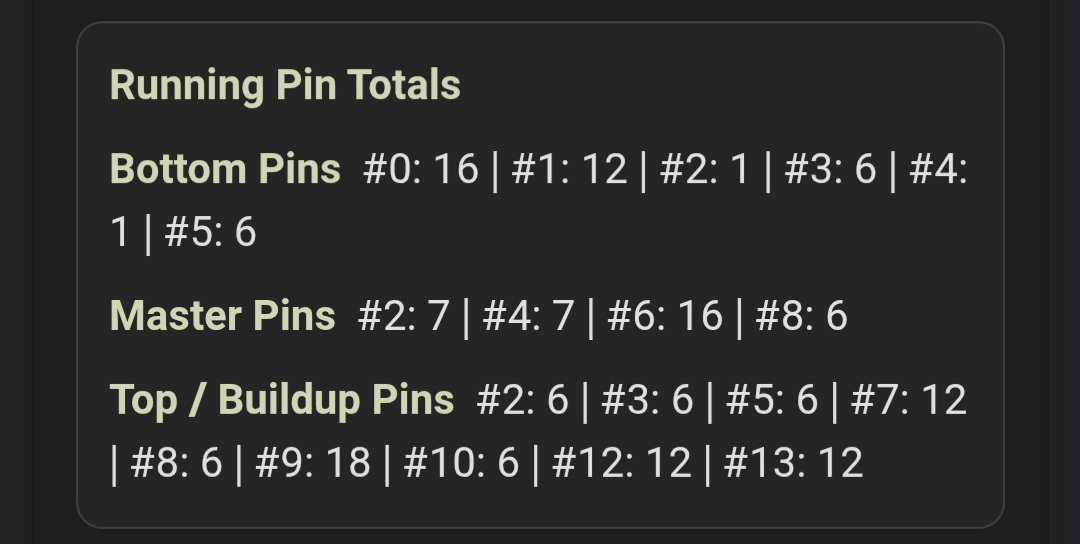
- Running pin totals
- Clipboard contents
Fast Pinning. Quick Reference.
Use the calculator independently or load generated systems for full workflow coverage.