
Generate structured master key systems instantly.
Designed for locksmiths, security professionals, and facility managers on desktop, tablet, or phone.
Also useful as a training and reference tool for apprentices getting their feet wet in advanced keying
services.
Fully mobile-friendly so you can review systems, build pinning data, and work from the bench, counter, truck,
or job site.
Check all system outputs to ensure accuracy and quality before
applying in the field. Reported issues and user feedback are highly appreciated to help improve the tool
during this beta phase!
Generate full master key hierarchies with progression rules and MACS compliance.
Instantly generate a master key system anywhere on any device with internet access, all you need is a
browser. The mobile-friendly layout is built to stay usable on phones and tablets when you're away from the
desk. The application currently supports 19 industry common manufacturers for keys with 4-7 cuts, with 66
total
unique DSD profiles including several SFIC and LFIC DSD's.
Built by a professional locksmith with real-world system design experience.
View systems you've created instantly in browser, complete with pinstack calculator to review previously
created Atlas systems and build cylinder
configurations directly from those generated keys.
It also offers a practical learning environment for apprentices and newer technicians who want to better
understand system structure, progression, and cylinder pinning logic.
A dedicated standalone pinstack calculator is also available when you need cylinder pinning for systems
created outside of Project Atlas, or when you're working from existing key data in the field.
Easily copy and paste pinstacks over to text. Systems are recalled by system codes provided upon generation,
so your systems aren't vulnerable to data breaches on someone else's server!
Download your system instantly for documentation or project planning in a clean excel spreadsheet with system
overview and changes organized by sheet.
Systems can be generated and viewed anywhere from a phone, tablet, desktop, laptop etc.. Nothing is saved to
the server, your systems stay safe with you. Just be sure to save your system code and download a copy of
your system for reference and backup purposes!
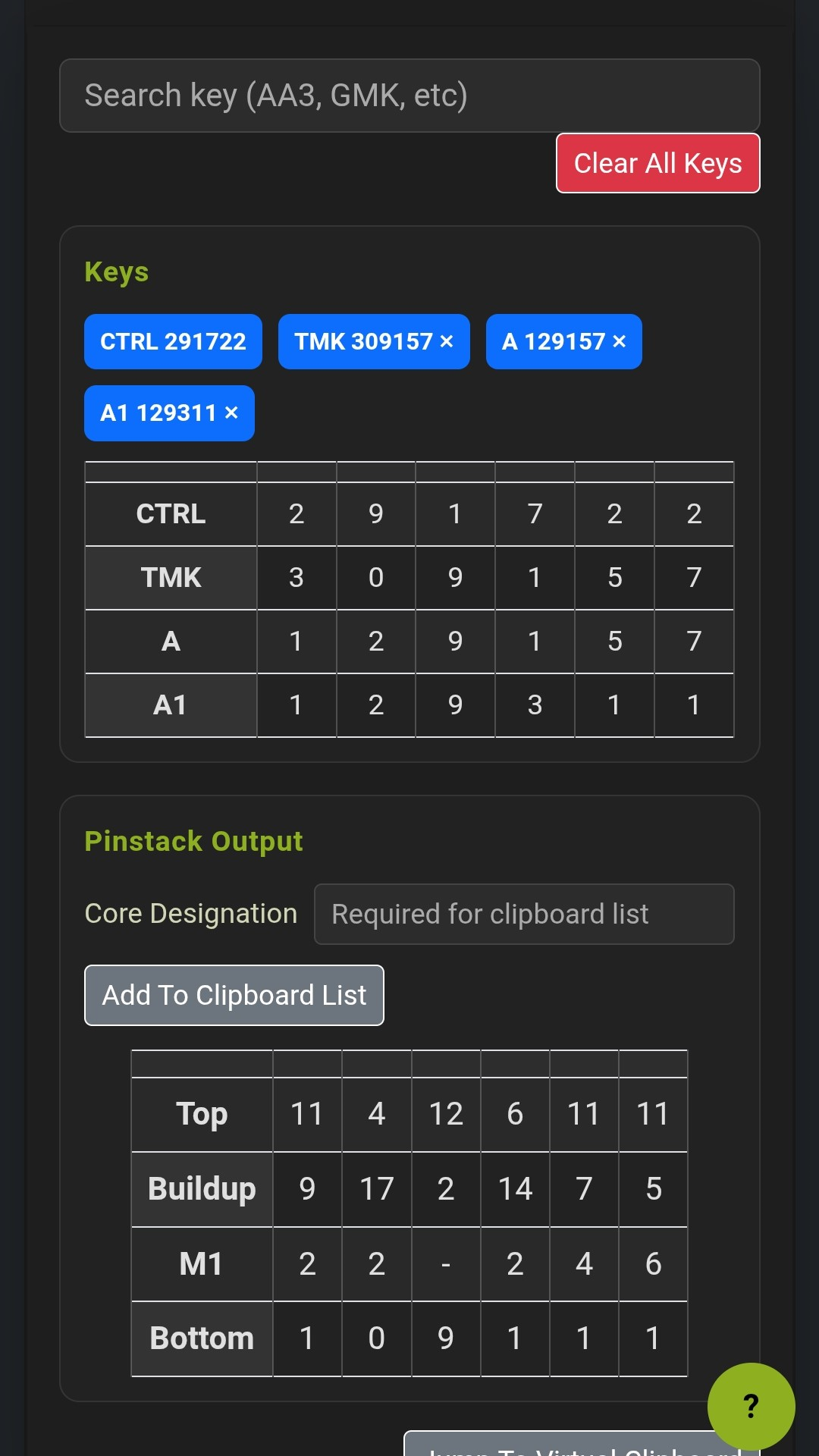
The standalone pinstack calculator is built for quick field work using already existing keys and systems, counter work, and fast desk reference. It's especially useful for systems created outside of Project Atlas and is designed so you can manually enter the key labels and bittings you're working with to create a list of cylinder pinouts for quick reference in the field.
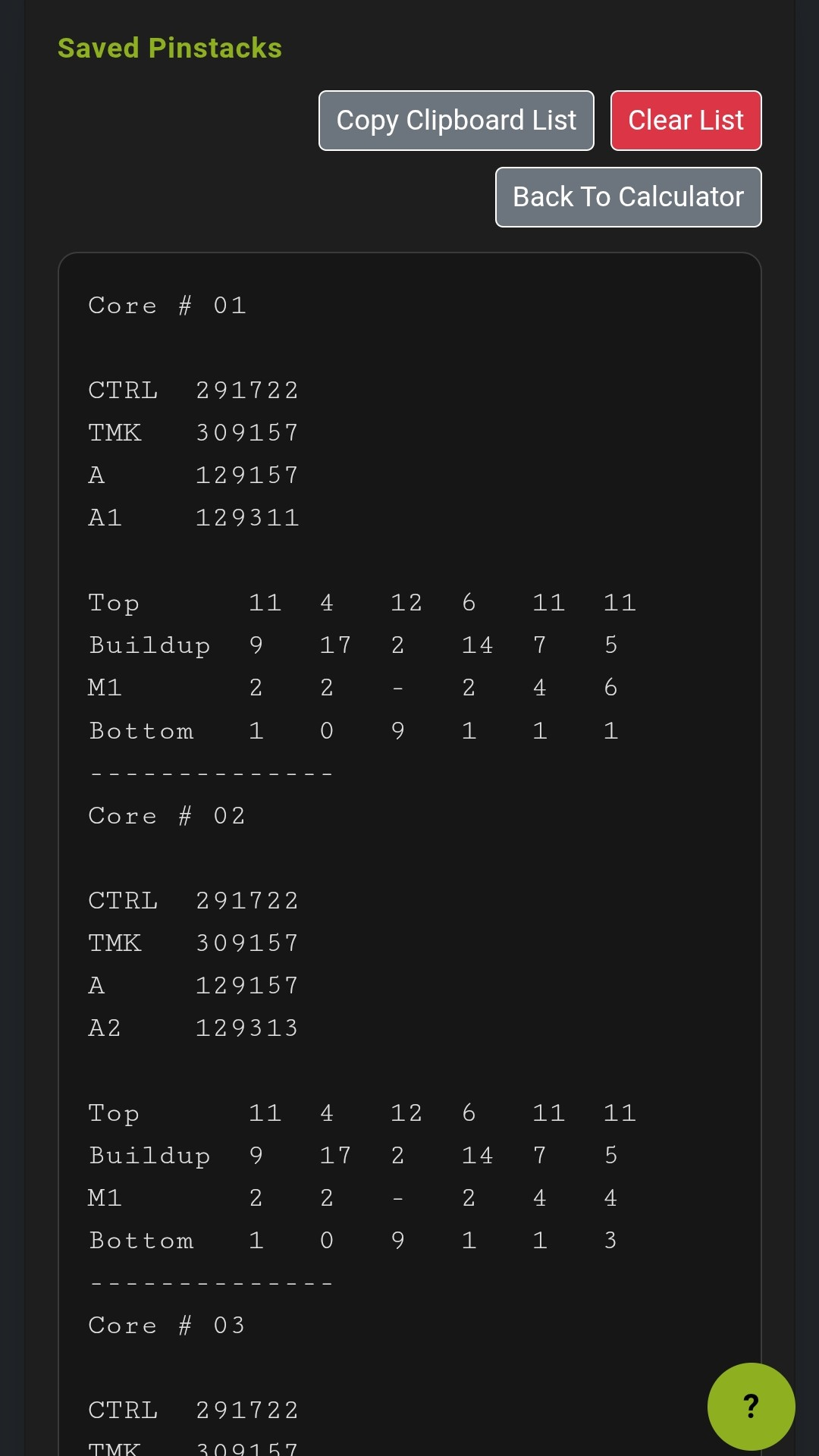
For Atlas-generated systems, the main generator remains the best place to rebuild Atlas-created systems, review hierarchy, and create pinstacks directly from the system tree. The standalone calculator keeps the same pinning rules used in Atlas for standard cores, SFIC systems, and IC profiles using control keys, but skips the system-generation steps when all you need is the pinstack. The virtual clipboard also lets you stack multiple cylinder pinouts into one running list and copy the whole batch in one shot.
Project Atlas helps locksmiths, property managers, maintenance departments, and facility teams move faster when planning master key systems or building cylinder pinouts. Instead of juggling handwritten notes, disconnected spreadsheets, and separate pinning references, Atlas keeps system generation and pinning workflow in one browser-based tool.
Whether you're quoting a rekey, documenting a campus system, planning IC cores, or building out multiple cylinders at the bench, Project Atlas gives you a master key system generator, an SFIC and LFIC-aware pinstack calculator, clipboard-ready pinout batching, and export options designed for real-world locksmith work.
Master key software, pinstack calculator, and locksmith workflow support in one place.
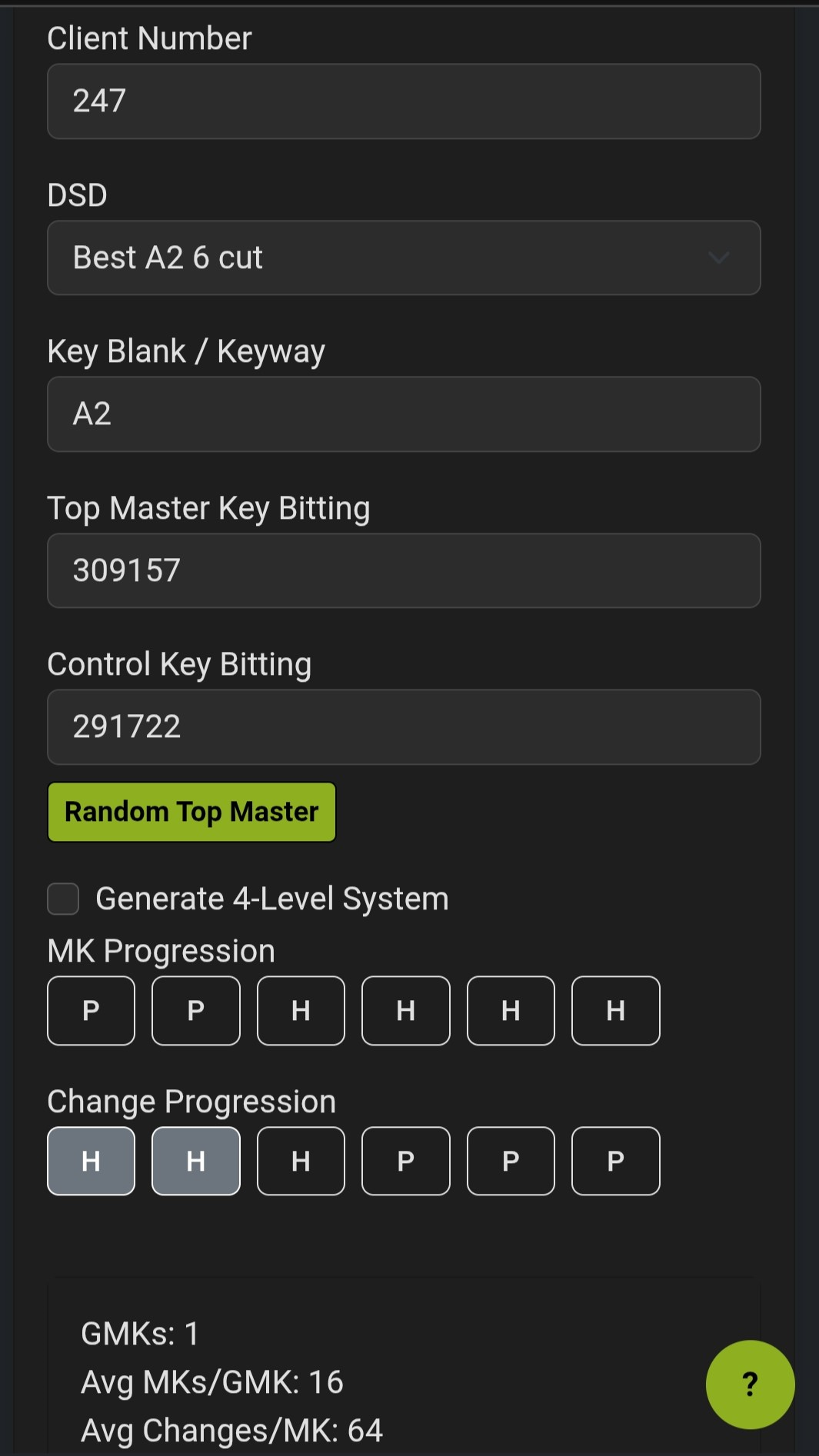
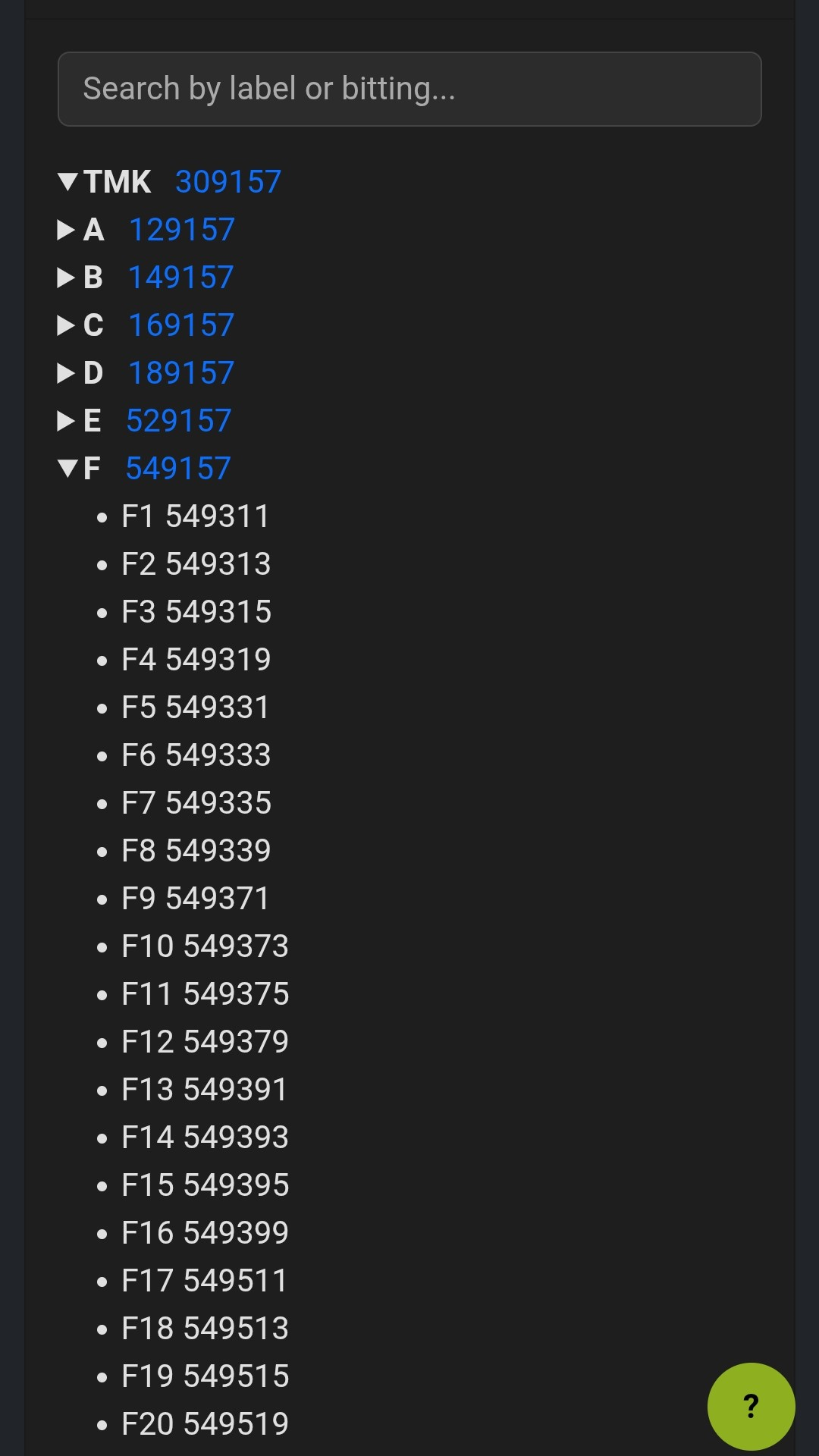
Launch GeneratorThese tools were built to remain practical on a phone, not just technically accessible. You can enter system data, search and review the hierarchy, inspect pinstack output, and keep a growing clipboard of finished cores without having to jump to a laptop.
The screenshots above show the same workflow from different angles: generator setup, tree review, calculator output, and saved clipboard batching. That matters when you're moving between the counter, the bench, and the job site and still need a readable reference in hand.
Launch the generator to create and manage professional master key systems. Launch it from your phone, tablet, or desktop whenever you need it. Get in on it while it's free! Beta users get free access to all features, and your feedback will directly shape the future of the tool!
💡 Tip: You can follow the Atlas' prompts (The lizard in the bottom corner) to guide you step by step through the process of creating a system. It can be recalled at any time by clicking on the "?" button in the lower right corner.
This application is in beta, review all systems before using them. The generator recognizes and eliminates results that would violate MACS, produce a max depth cut in the first position, and cross keys appear to be eliminated entirely (if you find any in a system, please email system code or user inputs to mark@williamslockservice.com for debugging, user feedback is highly appreciated).
It is highly recommended that you save a hard copy of your system for reference and backup purposes. While
I'll do my best to ensure compatibility across all versions of this app, this application is designed
specifically to NOT store your systems data on any server. It can be regenerated by system code for the
purpose of viewing and pinning calculations but it's your responsibility to maintain a copy on your local
device in order to guarantee access to your systems.
DO NOT RELY SOLELY ON THE SYSTEM CODE FOR ACCESS TO YOUR SYSTEMS.